Many tourists are surprised when they arrive in Korea and realize that Google Maps does not work perfectly.
Because of this, most locals and experienced travelers use:
- Naver Map
- KakaoMap
Among these apps, Naver Map is one of the most popular choices for tourists because it supports:
- English
- Subway directions
- Bus routes
- Walking navigation
- Restaurant information
👉 This guide explains everything first-time visitors should know about using Naver Map in Korea.

📱 What Is Naver Map?
Naver Map is one of the most widely used navigation apps in Korea.
It helps users:
- Find directions
- Search locations
- Use public transportation
- Discover restaurants and cafes
Many Koreans use Naver Map daily instead of Google Maps.
👉 It is especially useful in cities like:
- Seoul
- Busan
- Incheon
❓ Why Does Google Maps Not Work Well in Korea?
Many travelers become confused when Google Maps gives:
- Incomplete routes
- Incorrect walking directions
- Limited public transportation support
This happens because Korea has restrictions related to mapping data.
👉 As a result, Korean navigation apps usually provide more accurate information.
📥 How to Download Naver Map
You can download Naver Map before your trip from:
- Apple App Store
- Google Play Store
👉 It is highly recommended to install the app before arriving in Korea.
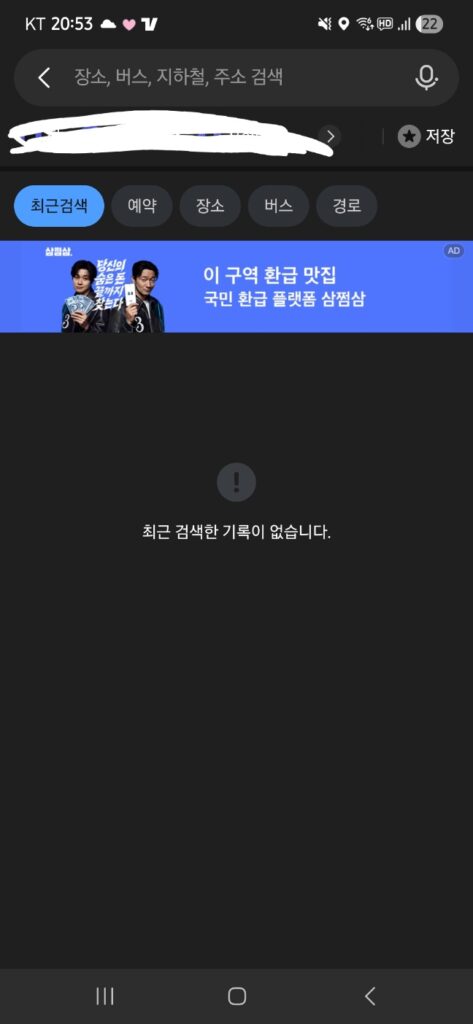
🔍 How to Search Locations
Using Naver Map is simple.
You can search:
- Tourist attractions
- Subway stations
- Restaurants
- Hotels
- Cafes
👉 Searching in English usually works well in major tourist areas.
However, some smaller places may appear more accurately in Korean.
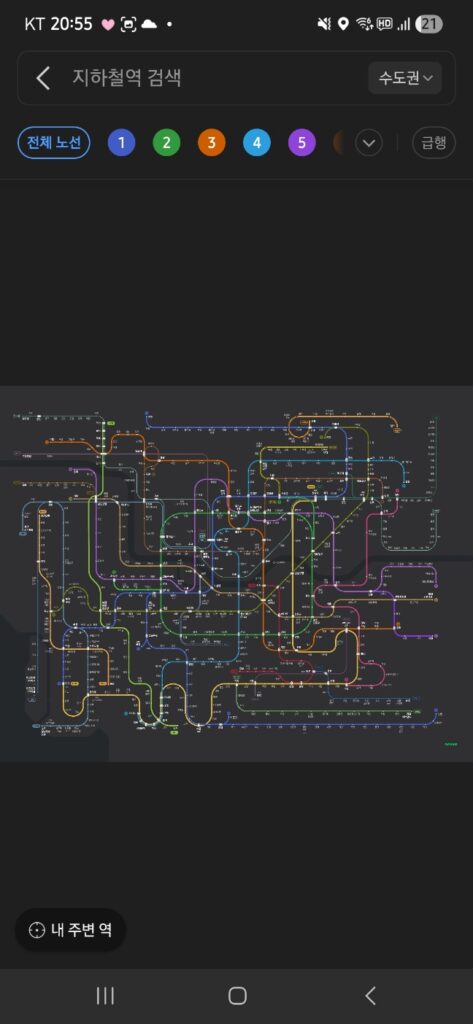
🚇 Using Naver Map for Subway Directions
This is one of the app’s best features.
Naver Map helps you:
- Find subway routes
- Check transfer stations
- See estimated travel times
- Identify correct exits
👉 Correct subway exits are extremely important in Korea.
Some large stations have:
- 10+ exits
- Underground shopping areas
- Multiple transfer lines
Using the wrong exit can add a lot of walking time.
🚌 Using Naver Map for Buses
Naver Map also provides real-time bus information.
You can see:
- Bus numbers
- Arrival times
- Transfer information
👉 This is especially useful in areas where subway access is limited.
🚶 Walking Navigation in Korea
Walking directions usually work very well inside Korean cities.
The app can help tourists:
- Navigate complex streets
- Find hidden cafes
- Locate building entrances
👉 Korean streets sometimes look confusing for first-time visitors, especially at night.
⭐ Saving Favorite Locations
You can save:
- Hotels
- Restaurants
- Tourist attractions
This is extremely useful during busy travel days.
👉 Many tourists save their hotel location before leaving each morning.
⚖️ Naver Map vs Google Maps
| Feature | Naver Map | Google Maps |
|---|---|---|
| Subway Directions | ✅ Excellent | ❌ Limited |
| Bus Information | ✅ Accurate | ❌ Weak |
| Walking Routes | ✅ Reliable | ⚠️ Sometimes inaccurate |
| Korean Location Data | ✅ Strong | ❌ Limited |
| Tourist Convenience in Korea | ✅ High | ⚠️ Moderate |
👉 Most experienced travelers prefer Naver Map while visiting Korea.
⚖️ Naver Map vs KakaoMap
Both apps are good, but they have slightly different strengths.
Naver Map
- Better for tourists
- Strong English support
- Cleaner interface
KakaoMap
- Popular with locals
- Good for detailed local searches
👉 Many travelers actually use both apps together.
⚠️ Common Tourist Mistakes
❌ Depending only on Google Maps
This is one of the biggest mistakes tourists make in Korea.
❌ Ignoring subway exits
Wrong exits can waste significant time.
❌ Not saving hotel locations
Some Korean street names may confuse visitors.
❌ Searching only in English
Smaller local businesses sometimes appear better in Korean.
[IMAGE: Tourist checking directions near Korean street]
💡 Helpful Tips for First-Time Visitors
✅ Download Naver Map before arrival
Airport Wi-Fi can become crowded after landing.
✅ Save your hotel immediately
This helps avoid navigation stress later.
✅ Screenshot important directions
Subway stations sometimes lose signal underground.
✅ Use Naver Map together with Kakao T
This combination makes transportation much easier in Korea.
❓ Frequently Asked Questions
Is Naver Map available in English?
Yes. English support is available and works well for most tourists.
Is Naver Map better than Google Maps in Korea?
For transportation and walking directions, yes.
Can tourists use Naver Map easily?
Yes. Most travelers learn the app quickly after a few uses.
Does Naver Map work outside Seoul?
Yes. It works throughout many areas of Korea.
Should I use both Naver Map and KakaoMap?
Many experienced travelers use both apps together.
🎯 Final Advice
Naver Map is one of the most useful apps for traveling in Korea.
👉 Once you learn how to search locations, check subway routes, and save important places, traveling around Korea becomes much easier and less stressful 🇰🇷
Related Guides
👉 Complete Korea Subway Guide for First-Time Travelers
👉 Complete Guide to Using a T-money Card in Korea
👉 How to Use Kakao T in Korea
👉 Complete Korea Airport Arrival Guide for First-Time Travelers
답글 남기기